Archive for the ‘Software’ Category

img_1897.JPG

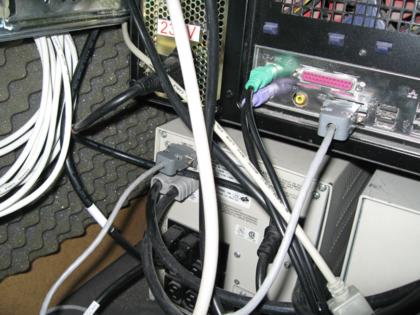
Several months ago I posted some information on the cable to connect a Compaq T2400h to a standard serial port. This weekend I finally got around to trying out the information that I found. I now have the 2.4KVA UPS at the bottom of my rack cabinet talking to my Ubuntu-based fileserver, boron.

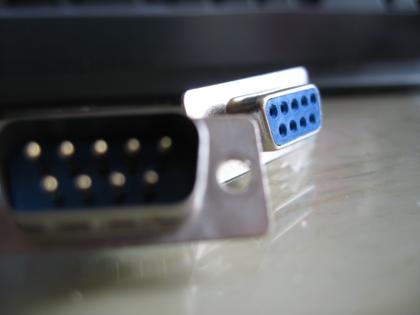
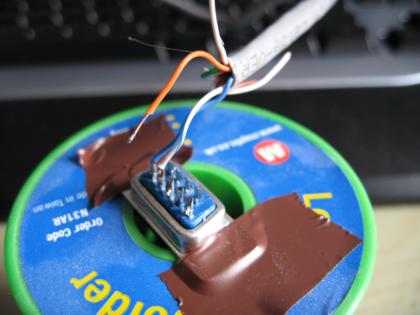
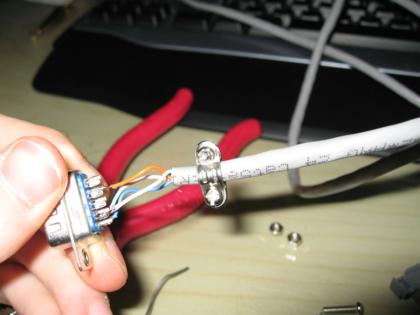
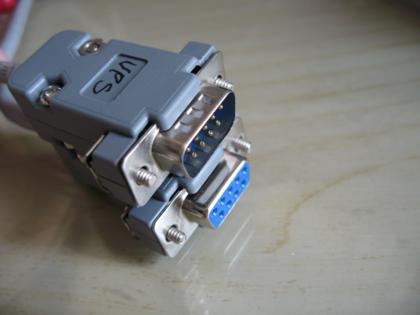
The first step was to create the cable. This requires a 9 pin female ‘D’ connector and a matching male connector. For the cable I used an offcut of CAT5, though normally serial cables do not use twisted pair (usually just parallel wires).

img_1898.JPG

img_1904.JPG

img_1915.JPG

img_1918.JPG

The software part is done using NUT, for which there is a package included in the Ubuntu distribution. This software talks to the UPS, monitors it’s status and allows other computers to check the status. The monitoring applications are then responsible for shutting down the computers attached to the UPS should power fail and the battery become critical. So far this is just boron and my Windows machine, aluminium. The latter uses WinNUT to shut down Windows when needed.

There were a few problems getting NUT to work with Ubuntu. First off, the package doesnt put any configuration files in the /etc/nut path, so I had to go hunt for the examples and copy then modify them. The next problem was with permissions for the serial port. For testing purposes I tried running the protocol module as root, but this introduced different permissions problems. The solution was to add the ‘nut’ user to the ‘dialout’ group, which is one group that has access to the serial ports. To my relief this got everything working.

These are the parameters that I can access over the serial connection:

simon@boron:~$ upsc compaq@boron
battery.charge: 97.22
battery.runtime: 1620.000
battery.voltage: 0055.50
battery.voltage.nominal: 0048.00
driver.name: upscode2
driver.parameter.input_timeout: 5
driver.parameter.manufacturer: Compaq
driver.parameter.port: /dev/ttyS0
driver.parameter.use_pre_lf: yes
driver.version: 2.0.5
driver.version.internal: 0.84
input.voltage: 0244.50
input.voltage.maximum: 0276.00
input.voltage.minimim: 0162.00
input.voltage.nominal: 0230.00
output.current: 0001.95
output.frequency: 0050.00
output.voltage: 0215.10
ups.alarm:
ups.delay.reboot: 000
ups.delay.shutdown: 000
ups.load: 21.875
ups.mfr: Compaq
ups.model: UPS 2400 VA FW -0023
ups.power.nominal: 2300.000
ups.serial: E########
ups.status: OL TRIM

These are the resources that I used to get the UPS/NUT combo working:

New MythTV version

A new version of MythTV has been released, with some really nice new features such as multiple file stores for recordings and a vastly improved MythWeb interface complete with a Flash-based streaming video player (uses ffmpeg as the transcoding backend). Naturally I’ve installed it already.

img_1738.JPG

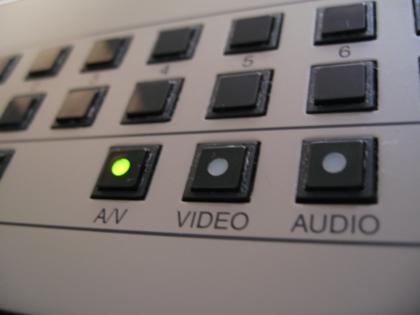
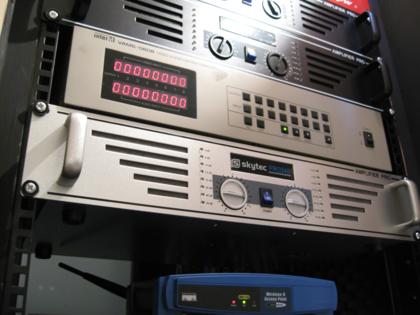
As I mentioned last month, I bid on and won an 8×8 AV matrix switcher on eBay. The switcher arrived the Monday following the Saturday that I won it (speediest delivery ever!), so I took it home and plugged it all in.

I rummaged around for a serial cable to connect the switcher to boron, the Ubuntu file server and found something that I thought would do the job. Sadly the switcher has a male connector, whereas for a standard serial cable it should be a male connection on each end. So, slightly disappointed, I went ahead and ordered a M-F serial extension from eBay, assuming that this would do the job. This attempt also failed – the matrix switcher would not respond to any of the commands that I thought it should, and nothing was being returned either. After a bit more research in the little documentation that I had I noticed that the switcher requires a cross-over cable AKA a null modem cable.

The next cable I ordered was a M-M cable, so I got an M-F converter at the same time. Success! I now have the ability to control the matrix switcher via the RS232 on boron.
img_1733.JPG

The following weekend I set about writing a prototype of the software to communicate with the switcher. The switcher operates in such a way that state is important, since switching channels requires at least 2 commands and at any time someone can press a button on the front panel to issue any command.

When a button is pressed on the front, a message is sent via the serial port to indicate the action that has taken place. Similarly, when an instruction is sent to the unit over the serial connection a reply is received indicating whether that command succeeded or not. Sometimes the switcher doesn’t notice that it’s been sent an instruction, so to get around that I ended up sending the same message up to 3 times.

The resulting prototype works quite well. I may release the source code at some point.

Here’s a video demonstrating the software and the switcher:

You need to a flashplayer enabled browser to view this YouTube video

What’s next?

The Homebrew Challenge gave me a reason to progress my projects, but over Christmas things have slowed down. Winning the competition has given me some money from the sale of my old car, so it seems fitting that the money is put towards finishing the current projects. This is my plan for the projects over the next 2 years.

Purchases Actions
January 2008 Zone 2 amplifier, Zone 4 amplifier Improve rack ventilation
February 2008 Zone 3 amplifier, DVI/USB KVM
March 2008 Matrix switcher
April 2008 4u blanking plate, 1u blanking plate Write control software
May 2008 Write control software
June 2008 Netiom xAP Write control software
July 2008 Write control software
August 2008 Outdoor IP camera
September 2008 X10 modules
October 2008 Outdoor IP camera
November 2008
December 2008
January 2009 Netiom xAP + sensors
February 2009 Netiom xAP + sensors
March 2009 Netiom xAP + sensors
April 2009 Netiom xAP + sensors
May 2009 Netiom xAP + sensors
June 2009 Netiom xAP + sensors
July 2009 Netiom xAP + sensors
August 2009
September 2009
October 2009
November 2009
December 2009

I have purchased the 2 amplifiers for this month from eBay, but haven’t got around to the ventilation improvements as yet.

Leaving Fedora behind

Boron has been running Fedora since it was intitally built several years ago. It has suffered from frequent problems all the time it has been in use, and recently I gave up and have gone for something more solid and stable – Ubuntu.

Read the rest of this entry »

After finding out that the two tuner cards I already have are too large to fit in the new Camulus case of the new MythTV master backend (aka sodium), I ordered a Nova-T 500 dual-tuner PCI card. This was a little risky because Hauppauge produced a limited run of cards for the UK that are not compatible with linux. These cards are normally identified by their model number and certain stickers on the box.

Read the rest of this entry »

Here are some initial interface wireframes for the iPod Touch remote control. I’ve not shown all of the menus because that would be quite a bit of work. These three should give you an idea of what I intend to do though.

Main menu

The main menu summarises the major systems of the house. Clicking on one of the buttons takes you to more controls for that system. The colour of the buttons indicate the overall state of the system – green = OK, yellow = warning, red = error, grey = disabled.

mockup-main-menu.png

Audio

The audio controls will list the 4 zones, with a drop-down menu next to each button to select the audio source. Clicking the large button switches the zone on or off. Pressing the ‘Use for all’ button copies the settings of the selected zone to all the other zones.

mockup-audio-menu.png

Security

The large buttons display a thumbnail of the live video from the cameras. Clicking on the large button will show the full video feed (resized to fit the iPod’s screen). Cameras can be disabled for privacy.

mockup-security.png

Today I discovered two new libraries/applications:

  • Festival (text-to-speech engine)
  • PulseAudio (distributed cross-platform feature-packed sound daemon)

This has opened up a whole new realm of possibilities. Rather than paying out £400+ for an A/V matrix switcher, PulseAudio may allow everything to be done through a combination of software and soundcards. If I understand it correctly, the audio sources could be anywhere in the house (via a nearby networked computer with soundcard) and the sinks (amps, speakers, recorders etc.) can be elsewhere in the house (also connected to a nearby computer). The network carries the audio over IP and PulseAudio does all the funky stuff.

Combine this with the text-to-speech features of festival and you’d also have a talking house. This isn’t a new idea – many home-brew home automators have added TTS facilities to their houses – but it’s an interesting one. While it wouldn’t be used for frequent announcements, urgent announcements could be broadcast. If I can get the alarm system connected to the network, it could shout out messages to intruders. If a CO or smoke detector is triggered, the voice system could relay the message to all rooms in the house.

mvpmc and Fedora

I’m really starting to dislike Fedora. It’s bloated and breaks so easily. Unfortunately it currently runs my primary server which hosts DNS, DHCP, SMB and OpenVPN server.

A few weeks ago I finally found my MediaMVP box hidden away in one of the draws in my bed. I’ve used it before to run mvpmc, a client for the MediaMVP which presents a simplified MythTV front-end. This was back on FC4 i think (maybe FC5). Now I’m using FC7 but I’ve discovered, after a lot of pain, that the default DHCP server in Fedora does not work with mvpmc. I don’t know and don’t care why it doesn’t work, but at least I’ve now got a successful DHCP server running on my Unbuntu system – only problem is that system is only on occaisionally. If I can get VMWare Server running on boron though, I can get an Ubuntu VM set up purely to run the DHCP server until I can get around to completely replacing Fedora with the more fashionable (and much more reliable) distro.

So a note to people wanting to boot mvpmc: don’t use Fedora to host your DHCP/TFTP servers.

Another note: there’s a new version out (after 10 months of waiting!).

If you’re interested in open-source media centres, I’m intending to write an article about MythTV and mvpmc, with reference to how it’s being set up in our house.

The standard SSH server does not come with any usable form of SSH brute force attack prevention, but with a few firewall rules it’s possible to implement something that works quite well. I have set up the rules on 2 machines with great success. To make sure that I dont get locked out accidentally though I added an extra rule before these to allow access from my trusted network. If you only have remote access to the machine, it may be a good idea to do the same.