I’m normally only mildly interested in what comes out of MacWorld, but this time around I’m pretty gripped. I’m now running out of reasons NOT to buy an iPod Touch, thanks to the missing apps from the iPhone now being available through a software update for the iPod Touch. The only reason I have left is that I only bought my first and only iPod about 5 months ago.
The other thing I’m waiting for is an announcement of the release of the SDK for the iPod Touch. This will allow me to develop the iPod Touch remotecontrol as a native application. I’m not sure of the release date of this yet, and I’ve not seen it mentioned in any articles about MacWorld so far. Here’s hoping for it to come soon!
The Homebrew Challenge gave me a reason to progress my projects, but over Christmas things have slowed down. Winning the competition has given me some money from the sale of my old car, so it seems fitting that the money is put towards finishing the current projects. This is my plan for the projects over the next 2 years.
Purchases
Actions
January
2008
Zone 2 amplifier, Zone 4 amplifier
Improve rack ventilation
February
2008
Zone 3 amplifier, DVI/USB KVM
March
2008
Matrix switcher
April
2008
4u blanking plate, 1u blanking plate
Write control software
May
2008
Write control software
June
2008
Netiom xAP
Write control software
July
2008
Write control software
August
2008
Outdoor IP camera
September
2008
X10 modules
October
2008
Outdoor IP camera
November
2008
December
2008
January
2009
Netiom xAP + sensors
February
2009
Netiom xAP + sensors
March
2009
Netiom xAP + sensors
April
2009
Netiom xAP + sensors
May
2009
Netiom xAP + sensors
June
2009
Netiom xAP + sensors
July
2009
Netiom xAP + sensors
August
2009
September
2009
October
2009
November
2009
December
2009
I have purchased the 2 amplifiers for this month from eBay, but haven’t got around to the ventilation improvements as yet.
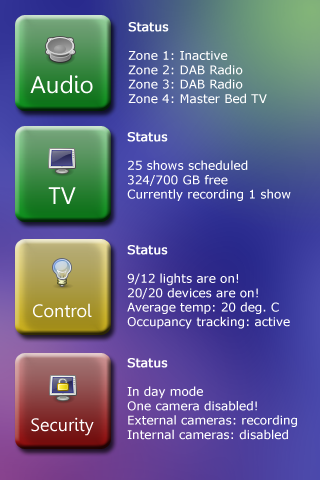
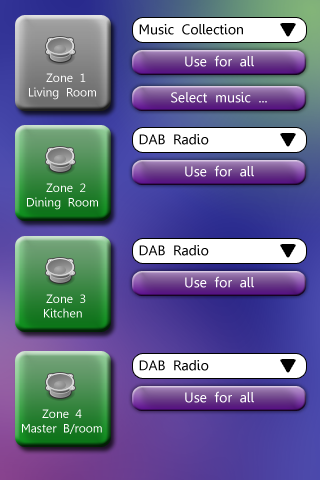
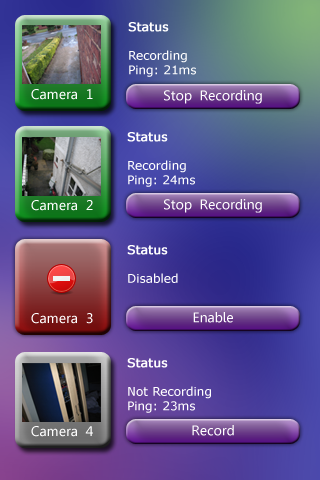
Here are some initial interface wireframes for the iPod Touch remote control. I’ve not shown all of the menus because that would be quite a bit of work. These three should give you an idea of what I intend to do though.
Main menu
The main menu summarises the major systems of the house. Clicking on one of the buttons takes you to more controls for that system. The colour of the buttons indicate the overall state of the system – green = OK, yellow = warning, red = error, grey = disabled.
Audio
The audio controls will list the 4 zones, with a drop-down menu next to each button to select the audio source. Clicking the large button switches the zone on or off. Pressing the ‘Use for all’ button copies the settings of the selected zone to all the other zones.
Security
The large buttons display a thumbnail of the live video from the cameras. Clicking on the large button will show the full video feed (resized to fit the iPod’s screen). Cameras can be disabled for privacy.
Whilst pondering over what sensors I could put around the house, I ventured upon the idea of having a ‘sensor box’ per room. This would be based upon something like the Netiom xAP, which would connect various sensors to the house’s IP network. Some of the sensors in each room would be different. Here are some examples of the sensors that would be common to all of the rooms:
Temperature
PIR (motion detector)
Door contact
Window contacts
Light
Room specific sensors could be:
Entrance hall:
Current meter
Intruder alarm status (triggered/armed)
Door bell
Kitchen:
Back door bolt contact
Oven/hob state
Each of these nodes can then be queried, via the xAP protocol in this case. Temperature could be recorded, although at present our combi-boiler would probably not allow for remote control. Motion detection and door contacts can be used to determine which rooms are occupied, and along with the window sensors could be used as a secondary security system. The light sensors would be used to control the house lights.
Having one single ‘node’ to talk to would do away with having lots of independent sensors that would probably all communicate differently. Thanks to having picture rail throughout most of the house, there won’t be a problem with hiding the wiring. I’m not sure how big the boxes would be, but I dont think they would be massive. I just need to find the money to build a prototype.
In the same way that the saying “you’ve got to spend money to make money” works, sometimes it’s also necessary to spend energy to save energy. An automated home may have more gadgetry than normal homes, but if set up correctly these little power-consumers can help to save energy. While the debate about whether the apparent global warming trend is the result of our actions, it can’t hurt to try to reduce energy use (or rather, conversion) as much as possible.
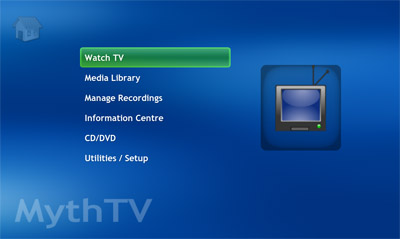
MythTV, as previously mentioned, is an open-source project that provides a client/server based media centre solution. One of the parts I like most about it is the ability to have multiple ‘recorder’ backends anywhere on the network, and all recordings are combined into one listing. You can also watch live TV through any of the backends on the network. You can also listen to music, watch videos in pretty much any format, play DVDs, watch/listen to internet streams etc.
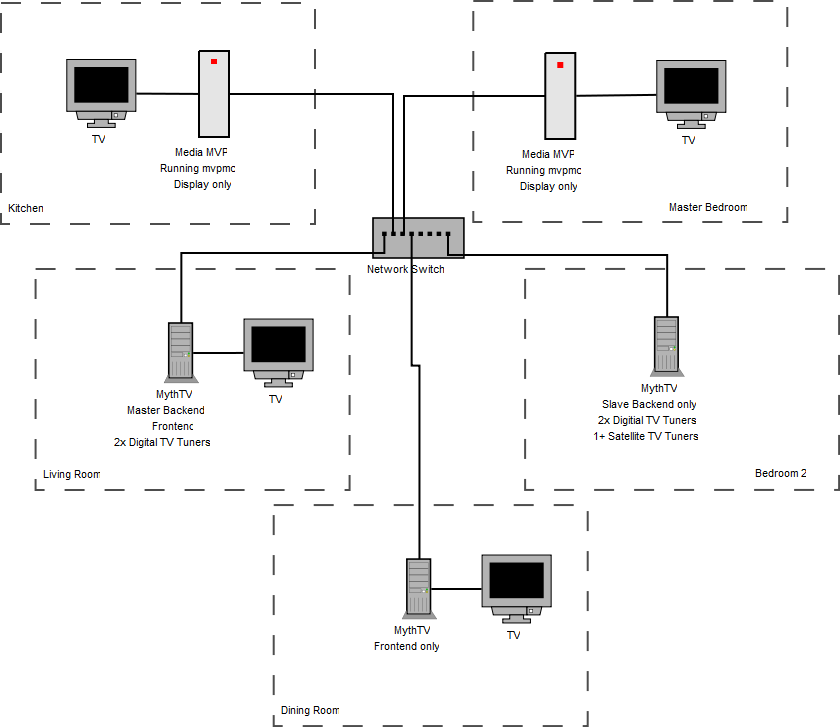
I’m going to exploit the distributed nature of MythTV by setting up a network of backends and frontends in our house. Here’s a diagram (click for larger version):
Currently the master backend is set up in the living room, connected to the TV via a VGA cable, and the slave backend is set up in the cabinet in my bedroom. Until the new tuner card I’ve ordered arrives, the only tuners sit in the computer in my room. However the client/server basis for MythTV means that the computer in the living room can connect to the card in my room and use it for watching live TV or recording from.
I also have a single Hauppauge Media MVP. This lovely bit of kit is a thin-client that is intended to be used with it’s own Windows-based software. However, the mvpmc project provides a way to get a far better client onto the little box which can connect to a MythTV backend. So not only can MythTV be enjoyed via a standard computer, but also a small set-top-box. The main advantages of using a Media MVP box are that it is silent, so suitable for quiet rooms, and it consumes very little power.
Eventually there will be at least one more Media MVP and another PC-based front-end in the kitchen and dining room respectively.
As more of my sub-projects get completed, there is going to be a need to control the various systems. There are loads of IR/RF remotes around designed to handle all sorts of HA/AV equipment. However, since I’m building my systems I’m going to need a more flexible and easily customisable way of controlling them. As soon as Apple announced the iPod Touch I knew that I had found what I was after. To me it’s not the music-related stuff on the iPod that’s important, it’s the combination of WiFi and Safari. All I would have to do is set up a PHP/ASP.Net etc. based web site that can communicate with all the systems, then access it through an iPod.
Possible systems to control include:
Selecting audio sources and where to play them in the house
Scheduling recordings on the MythTV distributed A/V system
Controlling the lights
Monitoring the security cameras
Setting reminder alarms (announced)
Running photo slideshows around the house
Building shopping lists
To complement the iPod there will be several touch-screen terminals around the house which will give the same control, but in known locations so that the improvised remote doesn’t have to be carried around everywhere (and argued over).
I might mock-up some interface designs to give an idea of how I intend the system to work. Stay tuned!
This has opened up a whole new realm of possibilities. Rather than paying out £400+ for an A/V matrix switcher, PulseAudio may allow everything to be done through a combination of software and soundcards. If I understand it correctly, the audio sources could be anywhere in the house (via a nearby networked computer with soundcard) and the sinks (amps, speakers, recorders etc.) can be elsewhere in the house (also connected to a nearby computer). The network carries the audio over IP and PulseAudio does all the funky stuff.
Combine this with the text-to-speech features of festival and you’d also have a talking house. This isn’t a new idea – many home-brew home automators have added TTS facilities to their houses – but it’s an interesting one. While it wouldn’t be used for frequent announcements, urgent announcements could be broadcast. If I can get the alarm system connected to the network, it could shout out messages to intruders. If a CO or smoke detector is triggered, the voice system could relay the message to all rooms in the house.
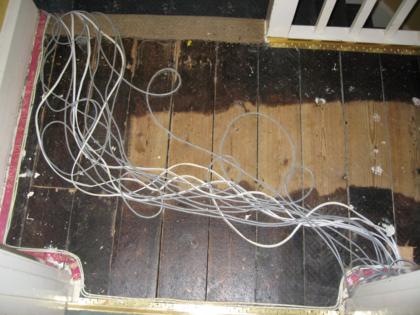
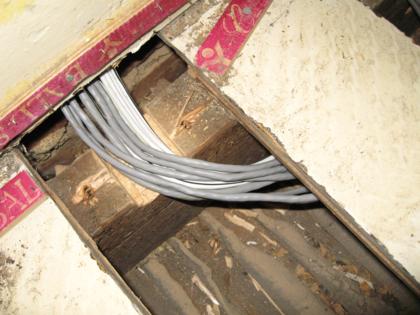
Before we moved into our new house, I lifted some of the carpets and floorboards and installed some runs of cat5 and speaker cable. In total there are 24 cat5 cables and 4 pairs of speaker cable. I’m not sure the length of network cable that was used, but a rough estimate is 400m – not quite as impressive as some other installations I’ve seen details of, but it’s a fair amount to pull on your own! I know exactly how much speaker cable was used though, because I used the whole reel – 100m.