killswtch.net

A geek’s thoughts on various stuff

Archive for the ‘A/V’ Category

Re-running cables

img_1723.JPG

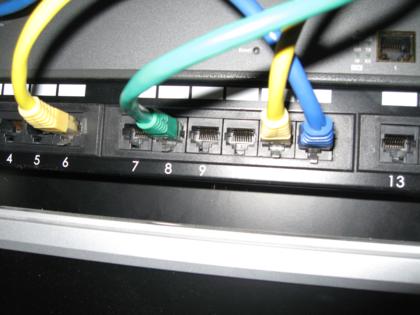
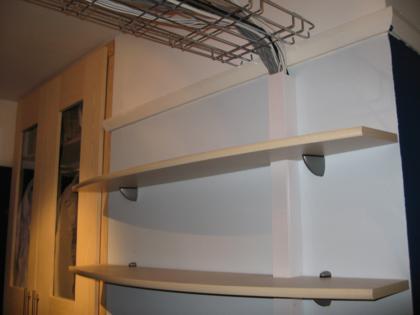
There are two main wiring routes that are part of my ongoing project to wire up our house for A/V and data distribution - one goes from the bottom of my wardrobe directly down to the room below, and the other goes across a short stretch of the landing and down into the pantry.

img_1692.JPG

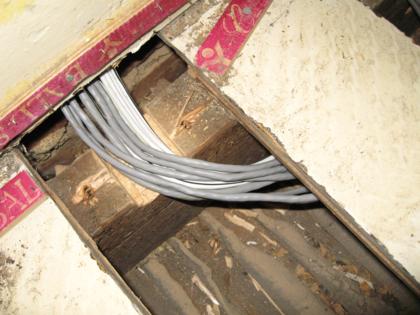
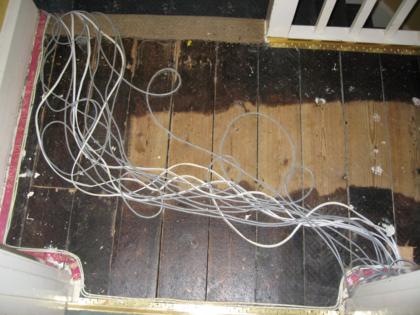
Until yesterday, the 4 x speaker and 6 x CAT5 cables going to the pantry were laid under the carpet, then pushed down through a hole in a floodboard and the corresponding hole in the pantry ceiling. The reason for this was simply that it was too much work at the time to run the cables properly, i.e. beneath the floorboards. At the time when I was running the cables, we weren’t living in the house so I only had relatively short visits in which to do the work.

I spent most of yesterday improving the situation by pulling up flooadboards, drilling holes in joists and reaching around in the dirt. All but 2 of the cables that were fed under the carpet are now out of sight under the floorboards of the landing. The remaining 2 cables are CAT5 feeds to bedroom 3, which take a slightly different route to the main runs and are already connected at both ends.

(more…)

Work-sponsored toys

I finally got to play with an iPod Touch yesterday, courtesy of a project I’m working on at work. The interface is beautiful and slick, and I was amazed at how thin it is compared to my previous generation iPod Video. Sadly we don’t have wifi at work yet, so I wasn’t able to try out Safari, YouTube or iTunes on the device.

One of my colleagues was considering whether to get a Touch or Classic to replace his early-generation one that had broken, but since he has quite a large collection of music the limited 16GB capacity of the largest Touch was just not enough. Will there be a 32GB version I wonder? If I got one (which I’m very tempted to now!) I could manage with the 16GB version, but I wonder how many people are being put off by the relatively small capacity?

I’m also going to be trying out an Archos (with wifi), a Creative Zen and a Walkman. I doubt any of them will live up to the standard of the iPod. I may report back with some brief reviews.

  • 2 Comments
  • Filed under: A/V, Apple, Hardware
  • img_1665.JPG

    At the end of last year I tested the prototype of the matrix audio switcher, in the process blowing up part of the amplifier that powers the speakers in the living room. After investigating the damage, I found a great site to buy the replacement parts from. They arrived before Christmas, but I didn’t get around to installing them until recently.

    img_1682.JPG

    The new transistors are exactly the same as the dead ones, so it was just a matter of unsoldering the old ones and replacing them. The nice chunky pads (compared to all the SMD boards I’m used to handling as computer parts) were lovely to work with, and the work was done in a matter of minutes. Minutes + £6 of parts = one big saving over a new amplifier and a lot of waste electronics. If only all devices were this easy to fault-find and fix.

    img_1666.JPG

    With a fire extinguisher at the ready and my adrenaline gland just waiting to explode, I switched on the repaired circuit and ….. near silence, just the sound of the fan - it worked! Now that both channels are actually wired to something rather than one of them shorting out, the sound coming out is pretty good. In a few months the whole system should be up and running.

    What’s next?

    The Homebrew Challenge gave me a reason to progress my projects, but over Christmas things have slowed down. Winning the competition has given me some money from the sale of my old car, so it seems fitting that the money is put towards finishing the current projects. This is my plan for the projects over the next 2 years.

    Purchases Actions
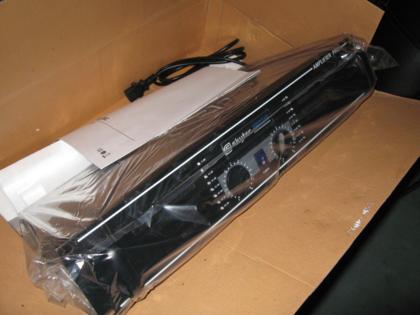
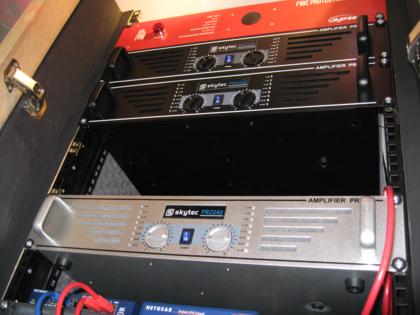
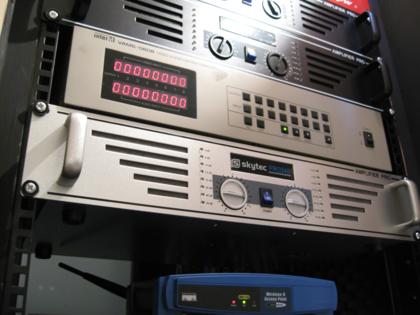
    January 2008 Zone 2 amplifier, Zone 4 amplifier Improve rack ventilation
    February 2008 Zone 3 amplifier, DVI/USB KVM
    March 2008 Matrix switcher
    April 2008 4u blanking plate, 1u blanking plate Write control software
    May 2008 Write control software
    June 2008 Netiom xAP Write control software
    July 2008 Write control software
    August 2008 Outdoor IP camera
    September 2008 X10 modules
    October 2008 Outdoor IP camera
    November 2008
    December 2008
    January 2009 Netiom xAP + sensors
    February 2009 Netiom xAP + sensors
    March 2009 Netiom xAP + sensors
    April 2009 Netiom xAP + sensors
    May 2009 Netiom xAP + sensors
    June 2009 Netiom xAP + sensors
    July 2009 Netiom xAP + sensors
    August 2009
    September 2009
    October 2009
    November 2009
    December 2009

    I have purchased the 2 amplifiers for this month from eBay, but haven’t got around to the ventilation improvements as yet.

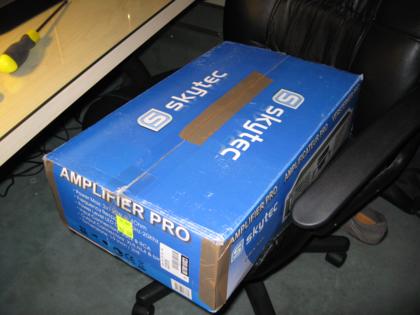
    After finding out that the two tuner cards I already have are too large to fit in the new Camulus case of the new MythTV master backend (aka sodium), I ordered a Nova-T 500 dual-tuner PCI card. This was a little risky because Hauppauge produced a limited run of cards for the UK that are not compatible with linux. These cards are normally identified by their model number and certain stickers on the box.

    (more…)

    A video summary of some of the projects

    Here’s a video I’ve put together about some of my projects. Sorry about the wobblyness and wonkyness - I’m not sure where I’ve put my tripod.

    You need to a flashplayer enabled browser to view this YouTube video

    Resurrecting a dead amplifier

    img_1331.jpg

    Today I took a look at the damage caused by last weekend’s test of the matrix switcher prototype. I suspect that the cause of the bangs was actually a short because in my haste to test I’d only connected one channel to a speaker and left the other with bare ends - oops!

    img_1323.jpg

    Removing the case revealed that the damage appears to be limited to two transistors on one of the channels. I’m not the only person who’s tried to fix this model of amplifier so a quick search for the numbers written on the remaining transistors revealed the information I needed to order some replacements. The parts have been ordered, so will hopefuly arrive before Christmas, although delivery times recently seem really slow.

    Now I just need to remember where I left my soldering iron…

    The wonders of MythTV

    MythTV, as previously mentioned, is an open-source project that provides a client/server based media centre solution. One of the parts I like most about it is the ability to have multiple ‘recorder’ backends anywhere on the network, and all recordings are combined into one listing. You can also watch live TV through any of the backends on the network. You can also listen to music, watch videos in pretty much any format, play DVDs, watch/listen to internet streams etc.

    MythTV Main Menu

    I’m going to exploit the distributed nature of MythTV by setting up a network of backends and frontends in our house. Here’s a diagram (click for larger version):

    My MythTV network

    Currently the master backend is set up in the living room, connected to the TV via a VGA cable, and the slave backend is set up in the cabinet in my bedroom. Until the new tuner card I’ve ordered arrives, the only tuners sit in the computer in my room. However the client/server basis for MythTV means that the computer in the living room can connect to the card in my room and use it for watching live TV or recording from.

    I also have a single Hauppauge Media MVP. This lovely bit of kit is a thin-client that is intended to be used with it’s own Windows-based software. However, the mvpmc project provides a way to get a far better client onto the little box which can connect to a MythTV backend. So not only can MythTV be enjoyed via a standard computer, but also a small set-top-box. The main advantages of using a Media MVP box are that it is silent, so suitable for quiet rooms, and it consumes very little power.

    Eventually there will be at least one more Media MVP and another PC-based front-end in the kitchen and dining room respectively.

    Using an iPod as a remote

    As more of my sub-projects get completed, there is going to be a need to control the various systems. There are loads of IR/RF remotes around designed to handle all sorts of HA/AV equipment. However, since I’m building my systems I’m going to need a more flexible and easily customisable way of controlling them. As soon as Apple announced the iPod Touch I knew that I had found what I was after. To me it’s not the music-related stuff on the iPod that’s important, it’s the combination of WiFi and Safari. All I would have to do is set up a PHP/ASP.Net etc. based web site that can communicate with all the systems, then access it through an iPod.

    Possible systems to control include:

    • Selecting audio sources and where to play them in the house
    • Scheduling recordings on the MythTV distributed A/V system
    • Controlling the lights
    • Monitoring the security cameras
    • Setting reminder alarms (announced)
    • Running photo slideshows around the house
    • Building shopping lists

    To complement the iPod there will be several touch-screen terminals around the house which will give the same control, but in known locations so that the improvised remote doesn’t have to be carried around everywhere (and argued over).

    I might mock-up some interface designs to give an idea of how I intend the system to work. Stay tuned!

    Software-based matrix switcher?

    Today I discovered two new libraries/applications:

    • Festival (text-to-speech engine)
    • PulseAudio (distributed cross-platform feature-packed sound daemon)

    This has opened up a whole new realm of possibilities. Rather than paying out £400+ for an A/V matrix switcher, PulseAudio may allow everything to be done through a combination of software and soundcards. If I understand it correctly, the audio sources could be anywhere in the house (via a nearby networked computer with soundcard) and the sinks (amps, speakers, recorders etc.) can be elsewhere in the house (also connected to a nearby computer). The network carries the audio over IP and PulseAudio does all the funky stuff.

    Combine this with the text-to-speech features of festival and you’d also have a talking house. This isn’t a new idea - many home-brew home automators have added TTS facilities to their houses - but it’s an interesting one. While it wouldn’t be used for frequent announcements, urgent announcements could be broadcast. If I can get the alarm system connected to the network, it could shout out messages to intruders. If a CO or smoke detector is triggered, the voice system could relay the message to all rooms in the house.