Archive for the ‘Hardware’ Category

img_1738.JPG

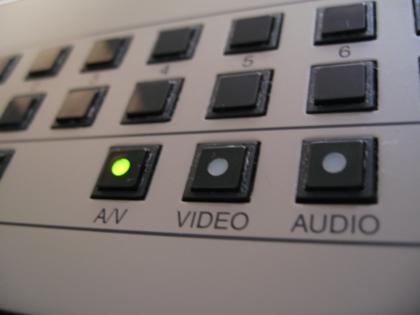
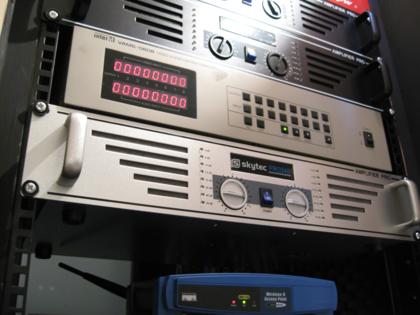
As I mentioned last month, I bid on and won an 8×8 AV matrix switcher on eBay. The switcher arrived the Monday following the Saturday that I won it (speediest delivery ever!), so I took it home and plugged it all in.

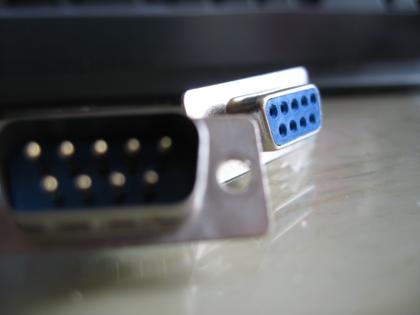
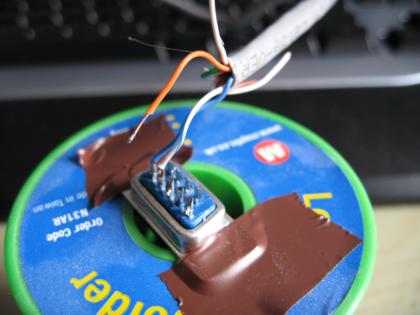
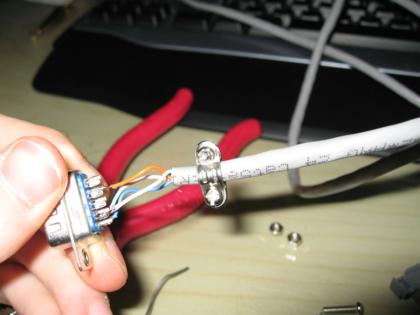
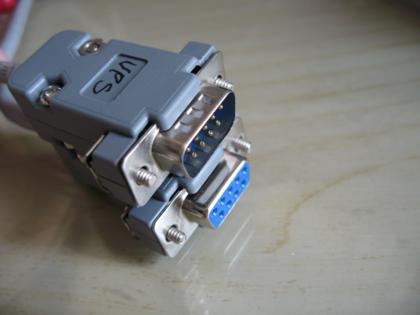
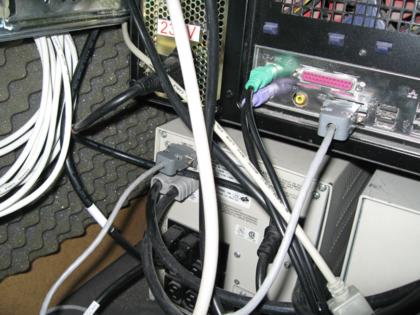
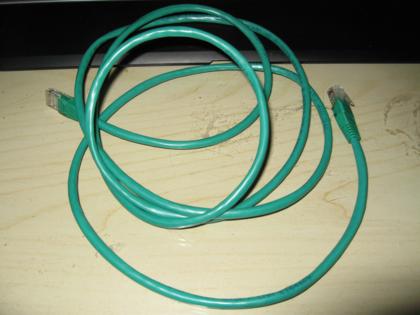
I rummaged around for a serial cable to connect the switcher to boron, the Ubuntu file server and found something that I thought would do the job. Sadly the switcher has a male connector, whereas for a standard serial cable it should be a male connection on each end. So, slightly disappointed, I went ahead and ordered a M-F serial extension from eBay, assuming that this would do the job. This attempt also failed – the matrix switcher would not respond to any of the commands that I thought it should, and nothing was being returned either. After a bit more research in the little documentation that I had I noticed that the switcher requires a cross-over cable AKA a null modem cable.

The next cable I ordered was a M-M cable, so I got an M-F converter at the same time. Success! I now have the ability to control the matrix switcher via the RS232 on boron.

img_1733.JPG

The following weekend I set about writing a prototype of the software to communicate with the switcher. The switcher operates in such a way that state is important, since switching channels requires at least 2 commands and at any time someone can press a button on the front panel to issue any command.

When a button is pressed on the front, a message is sent via the serial port to indicate the action that has taken place. Similarly, when an instruction is sent to the unit over the serial connection a reply is received indicating whether that command succeeded or not. Sometimes the switcher doesn’t notice that it’s been sent an instruction, so to get around that I ended up sending the same message up to 3 times.

The resulting prototype works quite well. I may release the source code at some point.

Here’s a video demonstrating the software and the switcher:

You need to a flashplayer enabled browser to view this YouTube video

The iPod Touch

As mentioned a short while ago, I have managed to get my hands on an iPod Touch. Wow, it’s nice!

Apple have once again put a lot of work into their interface design and made the touchscreen work quite well. One odd thing though is the home button is a tactile one situated on the front surface at the bottom – I kept expecting to find some sort of ‘Home’ button on the touchscreen interface. You get used to it though.

We don’t have wifi at work at the moment, so I borrowed it for an evening to test it out on my connection at home. To start with I experienced quite a problem with dropped connections. The first time I tried to connect it was successful, but not long after that the connection dropped and the AP was not listed in the list of available networks. My brother, the only wifi user in the house, only occaisionally has problems with the wifi network so I didn’t think it was a problem with the trusty Linksys box but just in case I checked the cables and rebooted the access point. Got it working again in the end.

When I first turned on the iPod, having removed it from it’s elegant packaging, I went through the apps that were included. I had assumed that the latest software update would be installed as standard, but it turns out (unless I just received stale stock) that you have to pay for the latest version with the extra apps regardless of whether you’ve got a recent model or not. I wasnt going to pay the £12 for something that work owns, so I made do with trying out the basic apps – Safari, iTunes and YouTube.

For me, Safari is the most important app on the device. It’s what opens up the mini-tablet-PC to a world of possibilities. By playing with it I managed to get a feel for how pages are rendered, which plugins are supported (Flash isn’t, unfortunately, but QuickTime is) and how people have implemented web apps designed for the iPhone and iPod Touch. Some sites have trouble with javascript in the portable version of Safari which results in the site being slow to respond to clicks. This may be due to intensive processing or a limitation of the browser. There are also occaisionally problems with zoomed rendering of pages that have complex styles such as flexible rounded-corner designs, but it’s nothing serious.
Scrolling is pretty slick, using both drag and ‘flick’ gestures, though zooming can be tricky sometimes as it requires you to use an ‘expansion’ gesture which is a little difficult with one hand (the other hand holding the device).

iTunes is slightly more limited in terms of features than I expected, but it’s still quite a slick app. I think the emphasis will continue to be on using iTunes on a Mac/PC, but for quick purchases the iPod version is perfect.

The YouTube app is a great way to waste time watching random stuff, and it demonstrates how streaming video can be used on the iPod. When using Safari I discovered that you don’t need a native app to stream video – the built-in mini-version of QuickTime does the job.

I really like the iPod Touch, and as soon as I can justify the expense (considering I got my 40GB iPod Video – now called classic – in July last year) I will get one for myself and pay for the extra apps. It will also be used for my remote control project.
A significant part of the whole-house audio system is the matrix switch that allows any audio input to be listened to on any audio output. I’ve been looking for a suitable switch for several months now (by suitable I mean cheap enough, but still capable). My requirements are that it has 8 inputs, 4 outputs and RS232 support.

Once again, eBay has proven it’s worth and I’ve found something for a lot cheaper than my previous find. It has 8 inputs, 8 outputs, RS232 support and includes composite video switching too. S-video switching would have been nice, but that feature seems to double the price so I’m happy to go with the compromise of composite video.

Of course there’s always a hitch with these low-cost items made in the far-east, and it’s almost always that the websites are absolutely rubbish – crafted to work only in IE, badly structured, lacking any useful technical information and generally broken. Thankfully, Google has come to the rescue and I’ve managed to find the software that controls the VAMS-0808 (IE is required, and the installer doesn’t even open in Vista – works OK in XP though).

I’ve got a Virtual PC with XP installed, just to connect to work’s VPN which until recently didn’t have a Vista client. One of the handy features in Virtual PC is the ability to map COM ports to physical ports, named pipes or a text file. I set COM2 to redirect to a text file, and voila, I now know how the software talks to the switcher.

Communication protocol for the VAMS-0808 (not tested yet)

This is what I’ve figured out so far:

All commands start with a 0 (zero), and are committed with a Windows new-line (\r\n). Some actions require multiple commands in order, for example channel switching. An output channel selection command must precede an input channel selection command.

  • 0CO1 – 0CO8: Select output channel 1-8
  • 0ALL: Select all output channels
  • 0CI1 – 0CI8: Set input channel 1-8 for currently selected output channel
  • 0OFF: Disconnect currently selected output channel (input channel 0)
  • 0VCS: Subsequent commands switch only video
  • 0ACS: Subsequent commands switch only audio
  • 0AVS: Subsequent commands switch both audio and video
  • 0LOO: Disable hardware lock
  • 0LOI: Enable hardware lock

I have no idea if the switch actually returns any status codes since I haven’t got it yet, but hopefully it’ll be on it’s way to me soon!

Edit: 0OFF actually means disconnect the selected channel, not disconnect all channels. Also: woo! It’s arrived! Very speedy delivery indeed.

Work-sponsored toys

I finally got to play with an iPod Touch yesterday, courtesy of a project I’m working on at work. The interface is beautiful and slick, and I was amazed at how thin it is compared to my previous generation iPod Video. Sadly we don’t have wifi at work yet, so I wasn’t able to try out Safari, YouTube or iTunes on the device.

One of my colleagues was considering whether to get a Touch or Classic to replace his early-generation one that had broken, but since he has quite a large collection of music the limited 16GB capacity of the largest Touch was just not enough. Will there be a 32GB version I wonder? If I got one (which I’m very tempted to now!) I could manage with the 16GB version, but I wonder how many people are being put off by the relatively small capacity?

I’m also going to be trying out an Archos (with wifi), a Creative Zen and a Walkman. I doubt any of them will live up to the standard of the iPod. I may report back with some brief reviews.

MacWorld excitement

I’m normally only mildly interested in what comes out of MacWorld, but this time around I’m pretty gripped. I’m now running out of reasons NOT to buy an iPod Touch, thanks to the missing apps from the iPhone now being available through a software update for the iPod Touch. The only reason I have left is that I only bought my first and only iPod about 5 months ago.

The other thing I’m waiting for is an announcement of the release of the SDK for the iPod Touch. This will allow me to develop the iPod Touch remote control as a native application. I’m not sure of the release date of this yet, and I’ve not seen it mentioned in any articles about MacWorld so far. Here’s hoping for it to come soon!

img_1665.JPG

At the end of last year I tested the prototype of the matrix audio switcher, in the process blowing up part of the amplifier that powers the speakers in the living room. After investigating the damage, I found a great site to buy the replacement parts from. They arrived before Christmas, but I didn’t get around to installing them until recently.

img_1682.JPG

The new transistors are exactly the same as the dead ones, so it was just a matter of unsoldering the old ones and replacing them. The nice chunky pads (compared to all the SMD boards I’m used to handling as computer parts) were lovely to work with, and the work was done in a matter of minutes. Minutes + £6 of parts = one big saving over a new amplifier and a lot of waste electronics. If only all devices were this easy to fault-find and fix.

img_1666.JPG

With a fire extinguisher at the ready and my adrenaline gland just waiting to explode, I switched on the repaired circuit and ….. near silence, just the sound of the fan – it worked! Now that both channels are actually wired to something rather than one of them shorting out, the sound coming out is pretty good. In a few months the whole system should be up and running.

Attempting Crossfire

img_1650.JPG

A couple of months ago I bought Crysis for my PC. My PC has a reasonable spec, with a dual core processor, as much RAM as 32bit Windows can support without crashing and a mid-range graphics card (X1950 Pro). However, Crysis could barely run with this spec even on the lowest settings. Setting up Crossfire should approximately double performance.

When I last upgraded my computer, I spent quite a bit of time researching motherboards, looking for ones with Crossfire support in particular. Crossfire motherboards have 2 of the larger PCI-X slots, though they don’t necessarily both run at x16 speeds. The X1950 Pro card that I already had supports Crossfire mode without having to purchase a special master card – all that is needed are two identical cards.

The card I already owned had just 256MB RAM, but when I purchased it’s companion card there were only 512MB versions available. It was a bit of a gamble, since the configurations weren’t identical, but fortunately Crossfire mode worked beautifully. When in Crossfire mode, the cards appear as one single card to Windows with 256MB RAM, but with a significant performance gain.

I’m not going to bother with taking benchmarks, but I can confirm that Crossfire did help run Crysis on low settings. I think to run it on highest settings I’d probably have to spend quite a chunk of cash, which I can’t really justify at the moment.

This test of Crossfire was only a temporary setup because the new card is really noisy and I had to borrow a more powerful power supply from another computer – Crossfire mode requires a PSU that can supply at least 550W. So until I can afford to buy another power supply, the second card is sitting on the floor underneath my desk.

What’s next?

The Homebrew Challenge gave me a reason to progress my projects, but over Christmas things have slowed down. Winning the competition has given me some money from the sale of my old car, so it seems fitting that the money is put towards finishing the current projects. This is my plan for the projects over the next 2 years.

Purchases Actions
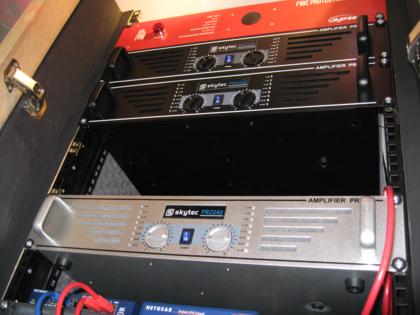
January 2008 Zone 2 amplifier, Zone 4 amplifier Improve rack ventilation
February 2008 Zone 3 amplifier, DVI/USB KVM
March 2008 Matrix switcher
April 2008 4u blanking plate, 1u blanking plate Write control software
May 2008 Write control software
June 2008 Netiom xAP Write control software
July 2008 Write control software
August 2008 Outdoor IP camera
September 2008 X10 modules
October 2008 Outdoor IP camera
November 2008
December 2008
January 2009 Netiom xAP + sensors
February 2009 Netiom xAP + sensors
March 2009 Netiom xAP + sensors
April 2009 Netiom xAP + sensors
May 2009 Netiom xAP + sensors
June 2009 Netiom xAP + sensors
July 2009 Netiom xAP + sensors
August 2009
September 2009
October 2009
November 2009
December 2009

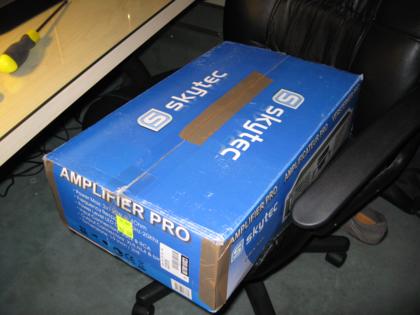
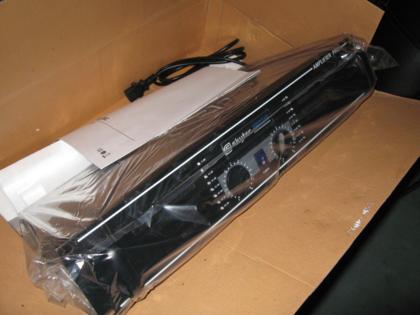
I have purchased the 2 amplifiers for this month from eBay, but haven’t got around to the ventilation improvements as yet.

Leaving Fedora behind

Boron has been running Fedora since it was intitally built several years ago. It has suffered from frequent problems all the time it has been in use, and recently I gave up and have gone for something more solid and stable – Ubuntu.

Read the rest of this entry »

After finding out that the two tuner cards I already have are too large to fit in the new Camulus case of the new MythTV master backend (aka sodium), I ordered a Nova-T 500 dual-tuner PCI card. This was a little risky because Hauppauge produced a limited run of cards for the UK that are not compatible with linux. These cards are normally identified by their model number and certain stickers on the box.

Read the rest of this entry »