The weak-signal problem with the MythTV PVR downstairs has been mostly resolved by replacing the coax cable between the computer and the booster by a wider diameter hand-made one. This has helped greatly with improving the signal although it’s not completely perfect. About 80% of recordings now succeed and are watchable. The remaining failures are bearable. The plan to move to satellite has hence been put on hold until things get worse.
Alternatives to DVB-T in the UK
Here in the UK there are a few ways to receive digital TV. Some of them are free (after an initial outlay for equipment) others are based on a subscription model. Here are some of the most common ones:
- Digital terrestrial, received through a suitable TV antenna (DVB-T)
- Cable, in most cases through Virgin Media (DVB-C)
- Sky (DVB-S)
- Freesat (DVB-S/DVB-S2)
My MythTV installation is currently solely using a dual-tuner DVB-T receiver to record TV. However we are right on the edge of the closest transmitter’s reach with no usable overlap with any other transmitter, so at best our signal is spotty.
As spring progressed and the trees regained their leaves our signal has gotten weaker and weaker to the point that about 90% of recordings fail due to a lack of a signal lock or a very weak signal producing something that’s unwatchable.
The TVs in the house cope slightly better, but still suffer a lot from a broken signal. With digital being all-or-nothing compared to analogue’s degrees of static snow, it’s either you can watch something or you can’t… unless we change to the analogue tuners in the TVs, which we often have to.
We are being forced to consider alternatives, either to back up terrestrial or replace it completely.
I’m keen to keep to things which can be used legally with MythTV, which would rule out Sky and Virgin Media which essentially bind you to using their hardware. The benefits of those two services however is that they have a more complete selection of channels as well as the option to upgrade to significant bonus content, compared to the one remaining alternative – Freesat.
Freesat was launched recently by a collaboration between the BBC and ITV. Most of the transmissions are in Standard Definition (SD) with a small sprinkling of High Definition (HD) services. More channels are expected to sign up, but at the moment there’s all of the UK BBC and ITV channels plus Channel 4 but at the moment no Channel 5 (who seem to insist on transmitting encrypted signals). Also there are none of the UKTV-owned channels including Dave.
Freesat is transmitted unencrypted over DVB-S & DVB-S2, both of which can be received by a computer using an appropriate satellite receiver card. Naturally I’ve been keeping my eye out on eBay for such cards, and there are usually a few on at a time. I’ve not bought any just yet and I won’t until a decision is made for sure that we’re going for Freesat rather than the next alternative, cable.
DVB-S2 is used for carrying HD programmes. It is relatively new, so although there are PCI cards out there cable of receiving the transmissions, the software for Linux hasn’t caught up yet. MythTV is in the early stages of including support, and some basic drivers are available. The cards come with software for Windows, but that’s not much use for a distributed MythTV-based PVR. I’m hoping that at least I can get DVB-S working for recording and such, then upgrade to DVB-S2 when it’s reliable. In the meantime HDTV can be watched on a normal set-top box.
Before Freesat came on the scene, as already mentioned the next alternative was cable from Virgin. In my investigations it quickly became apparent that connecting a DVB-C card (a rare thing in the UK) to Virgin’s cable network was not a good idea since it would almost guarantee disconnection of all services including my 20 meg broadband.
To keep within the T&Cs of that means using the analogue output from the V or V+ box, connecting it to a capture card and then doing digital->analogue->digital conversion. The result of this would be relatively low-quality video and audio, at a limited resolution (SD only). An IR transmitter would need to be used to control channel changing, and since it uses the only externally-available tuner you couldn’t watch one channel on TV and let another record on the same box. It’s certainly not an elegant way of doing things.
If we were to go for Sky, a similar thing would probably have to happen, although with a little work it may be possible to get a PCI DVB-S card to work with it, provided it had support for a decoder card so that the signal could be decrypted.
In the likely event that we decide to go for Freesat, the cheapest solution would be to do a complete self-install. However the easiest solution would be to pay for installation of a single-room service. We will need a 4 room service however, so the plan is currently to pay for a single room installation at £80, then buy a quad LNB and run the 3 other cables ourselves. That way we don’t have to worry about getting the correct size dish, mounting and positioning it. Apparently there’s some satellite-grade coax around somewhere that should do the job.
There will probably be 2 tuners in a machine that will do the recording (possibly boron) and the other 2 runs will go to the living room and the master bedroom.
Naturally there will be photos and such if/when the project takes place.
DUOS June 2008 poster design
The brief for this design for Durham University Orchestral Society was something that fitted in with Shostakovich’s Symphony No. 5, composed under the watch of the communist state in which he lived, whilst surreptitiously incorporating musical ‘messages’ that the outisde world could spot.

Due to illness and a very busy period at work, the designs were a little rushed but I think they came out well in the end. It’s an adaptation of an original propaganda poster (if you hadn’t guessed).
Almost there with the audio system
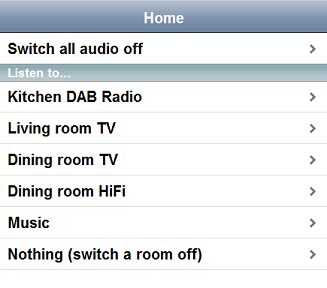
Yesterday I completed and successfully tested the control software for the audio system. The software works with the matrix switcher and the APC MasterSwitch remote control PDU to allow the audio output devices around the house (TV, radio, CD player etc.) to route their sound to any of the 4 audio zones.
I’m now waiting on some more purchases from eBay to arrive before I can finish the system off. On the way is a small touch-screen monitor and a low-power mini ITX computer to connect it to. This will function as the controller and will probably sit in the dining room at the centre of the house. I’ve not gone for an iPod just yet, since a small mobile device has the possibility of getting lost or damaged more readily than a fixed controller. I’m looking out for a cheap 2nd hand one on eBay though.
Although I had got the software working yesterday, I foolishly installed some updates for Ubuntu and now the serial ports have disappeared again. Rather than battle to get the ports to show up and behave I’ve gone a little more eBay crazy and bought a second thin-client-like low power PC which will run the matrix control software and possibly the web server for the front-end control interface.
The other remaining tasks include creating some more cables and positioning and attaching the speakers for zone 4, the master bedroom.
Full details of the setup, with a video, will hopefully be posted in the next few weeks.
Dining room speakers
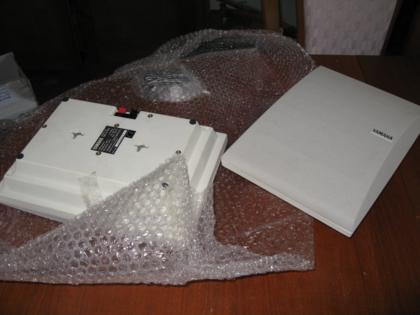
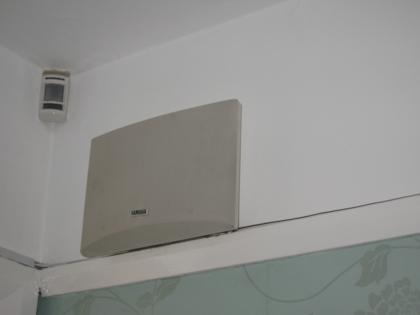
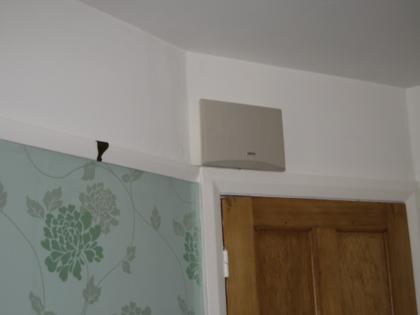
The speakers for zone 2, the dining room, have been installed without much of an issue. They sound pretty good after a test of zones 1, 2 & 3 using the DAB radio in the kitchen. The left-hand speaker helps to hide the cable route from the pantry to the dining room & kitchen.
Switches on eBay
I’ve listed 2 of the 3 replaced switches on eBay. If anyone wants a bargain, get bidding on them!
Another HTPC and a TV more than worthy of it
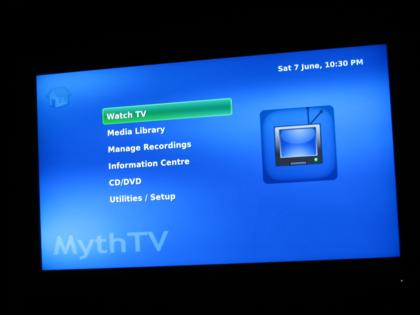
One of the things that has been lacking in my bedroom is a TV. I can watch recorded TV programs, DVDs and other videos on my PC, but not at the same time as relaxing on my bed. While I had a week off work I was looking around the Dabs website and ventured across a real bargain of a TV (now discontinued). It supports full 1080p HDTV as well as being a relatively huge 37″ all for just £539. I couldn’t pass this by, so I spent a while doing investigation work and finally decided to take the plunge and buy the thoroughly indulgent item.
When I designed the rack, the idea was that I would eventually get an LCD TV and it would be mounted to the side of the rack. However, it now contains so much equipment that the weight has become a bit of a concern. To avoid problems with the rack castors collapsing under the load – or even the floor of my bedroom doing the same – I decided to mount it in a more traditional location, on the wall at the foot of my bed (though I had to turn my bed around to make it the foot).
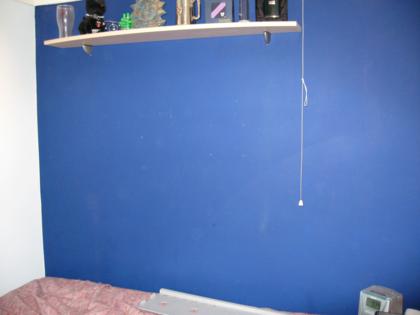
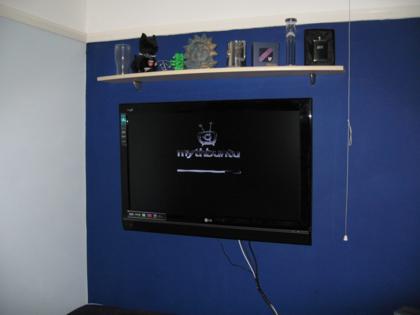
Now I needed something decent to connect it to, with the ability to run MythTV and watch video at possibly 1080p resolution. Boron used to live in a HTPC case, but it started getting a little crowded and warm and with the construction of my rack the innards were moved to a 19″ case. That meant that I’ve had a spare high-quality case lying around doing nothing for a while. Now I had the opportunity to bring it back into service.
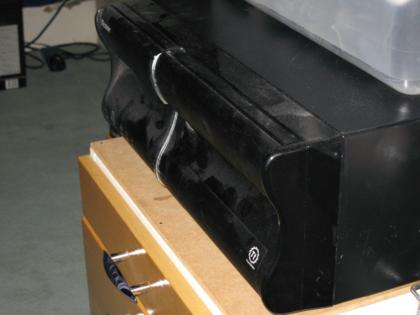
The Core 2 Duo in my gaming machine has done nothing but impress with its performance and cool running, so I knew what I wanted to base this new machine around. The E7200 2.53GHz was the cheapest Core 2 available on Dabs, so into the basket it went. I wasn’t too bothered about having a high-spec for the rest of the system, and indeed it needs to be farily quiet and cool so for graphics I went with the Asustek Radeon HD3450 256MB and a cheap-but-capable Gigabyte motherboard.
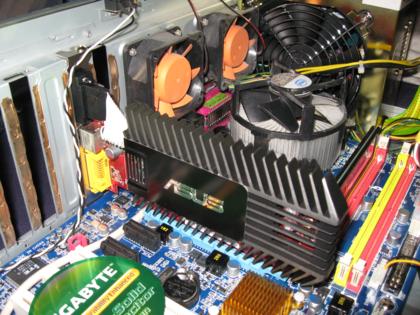
The processor ended up getting swapped for the slightly slower one in aluminium, so I got a small upgrade for gaming at the same time. For the OS I’m currently experimenting with MythBuntu for amd64. I’ve also taken another look at LinuxMCE, which I might give a go some time.
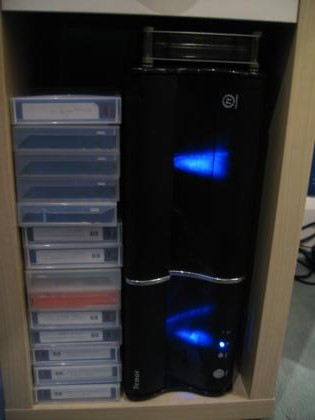
The new machine was named barium, and sits fairly neatly under my bedside table.
Kitchen speakers
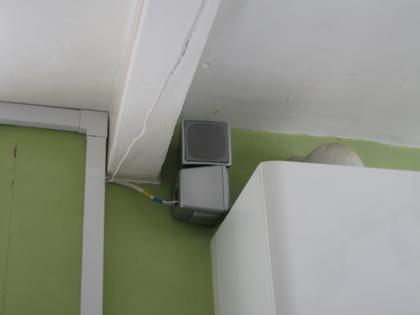
Audio zone 3 is the kitchen. This is one of the rooms that has not been decorated yet, so I can afford to do things without much consideration for any damage to the paintwork and I’m not constrained by the current styling. In the end I opted for some cheap Bose-clone speakers to hang high on the wall down the far end of the room, partially hidden by a supporting beam.
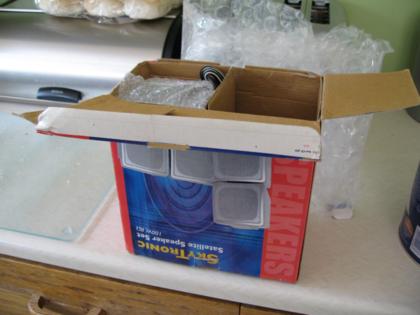
Unfortunately they arrived a little smashed up, but a little glue fixed them.
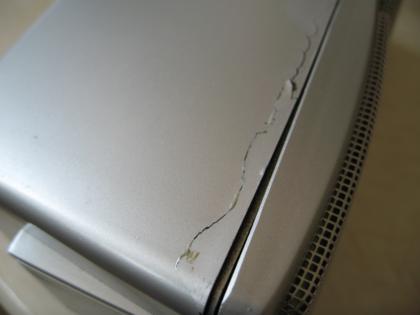
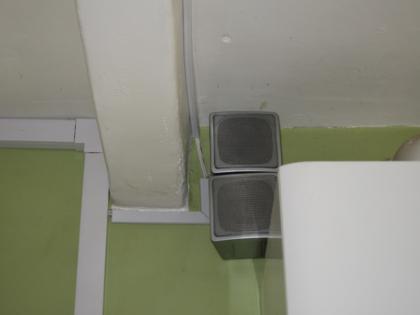
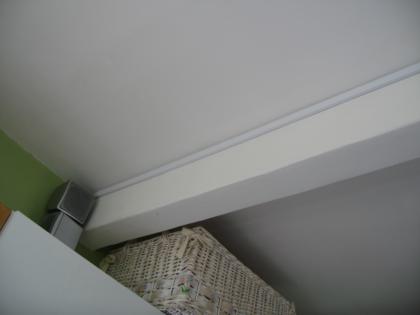
As with the data cabling, the trunking for the speaker cables will probably be removed when the time comes to decorate the kitchen, and the cables will be run into the plaster.
Last of the amplifiers
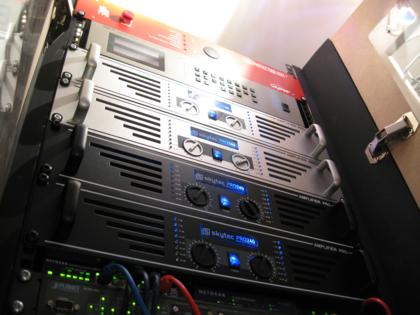
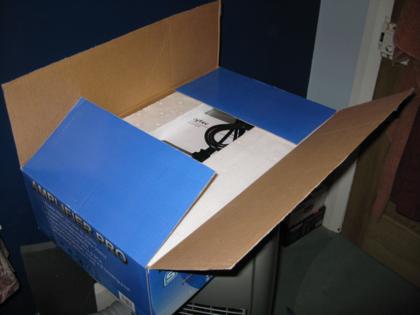
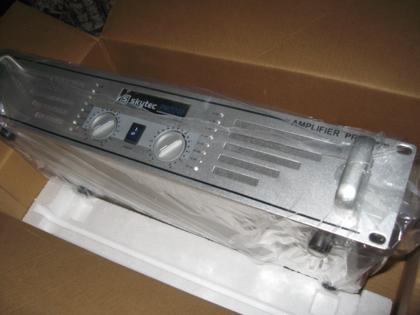
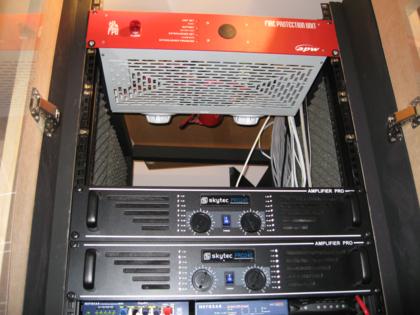
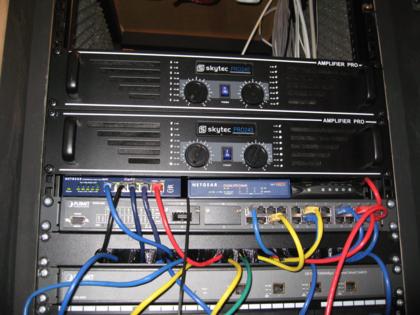
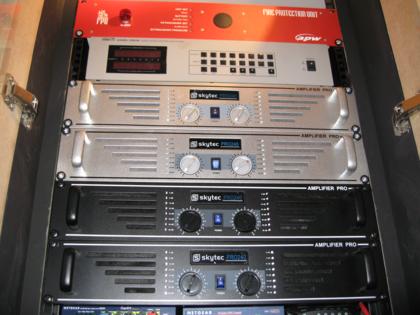
There are 4 audio zones in the house, each requiring it’s own amplifier and pair of speakers. I’ve just purchased the last of the amplifiers, which completes the selection of hardware that’s necessary within the cabinet. I took the opportunity to rearrange the order of things in the rack a little to tidy things up.
Switch consolidation
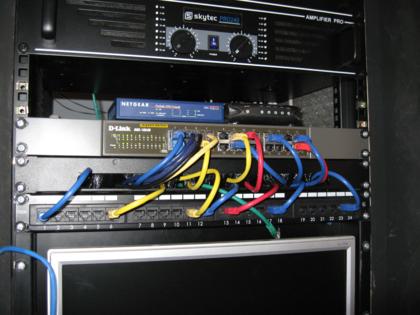
We recently had our latest electricity bill in, and it was pretty huge. To try to reduce the next bill, reduce the heat output of the cabinet and speed up the network I decided to combine 5 switches into one.
Before now all devices in the house have been connected to one of 3 switches: a 5 port gigabit switch (4 usable ports, 1 for uplink), a 24 port managed 10/100 switch, and a 4 port managed gigabit switch (3 usable ports, 1 for uplink. These switches used a combined 51 watts, and are on continuously, although lately I’ve switched the 4 port gigabit switch off to reduce the noise levels in the cabinet.
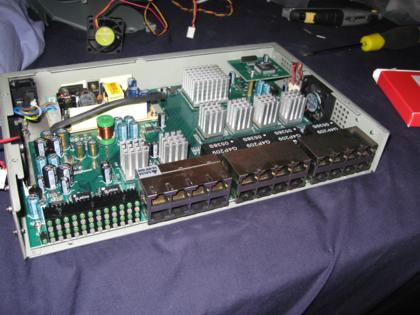
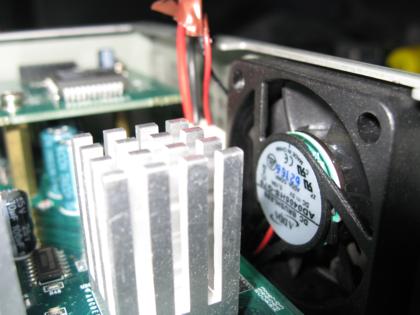
I have now replaced these 3 switches with a single 24 port unmanaged gigabit switch. It was a 2nd hand purchase from eBay, and had 2 faulty fans. I’ve replaced one of the fans and left the other disconnected with no problems so far. This switch uses about 17 watts of power.
In addition to consuming 34 watts less, I’ve also freed up 1u of space. With all the amplifiers, computers, networking equipment etc. space is starting to become a premium and the weight of the rack is becoming a concern.