A geek’s thoughts on various stuff
18 Jun

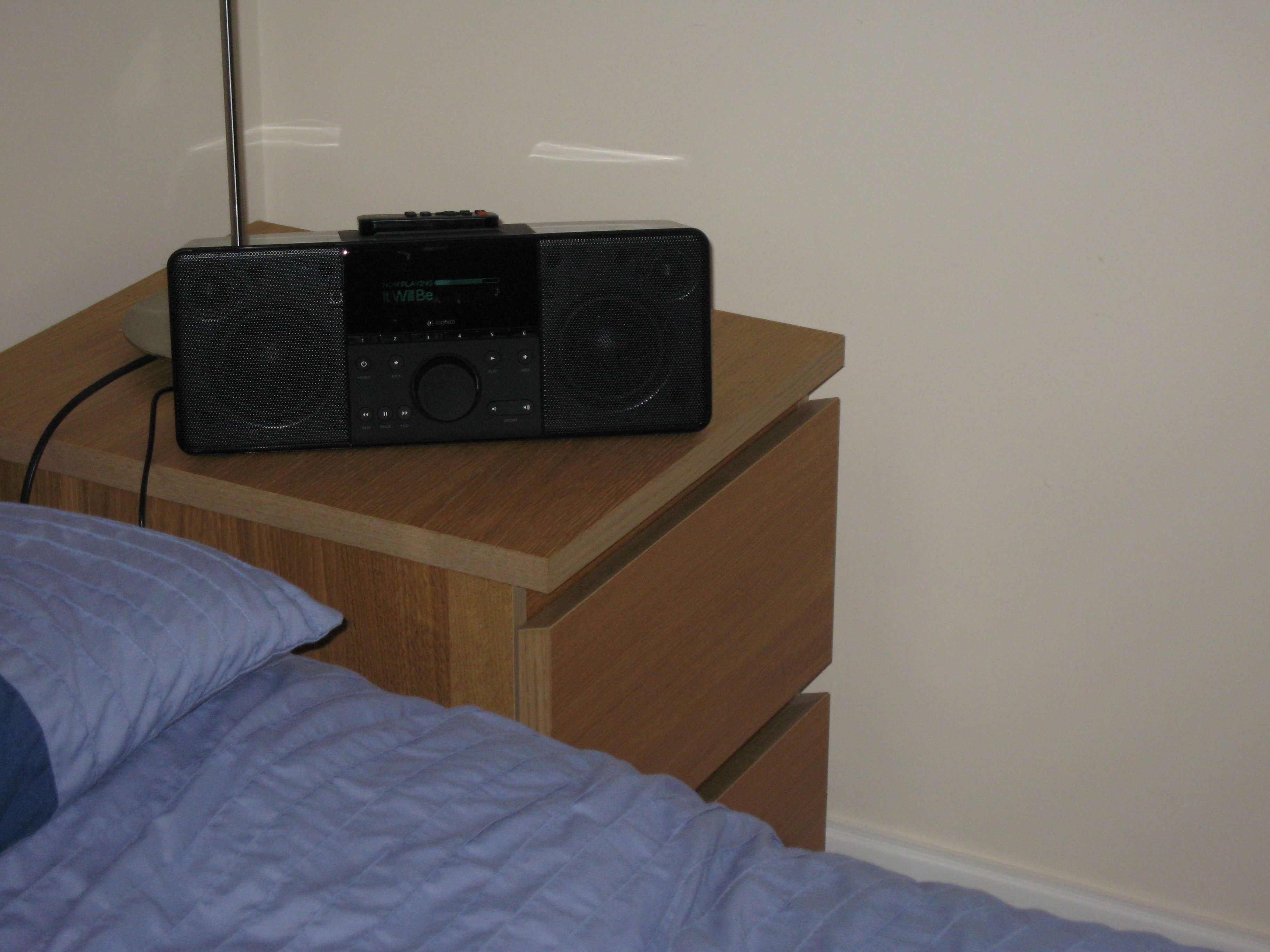
The speakers for zone 2, the dining room, have been installed without much of an issue. They sound pretty good after a test of zones 1, 2 & 3 using the DAB radio in the kitchen. The left-hand speaker helps to hide the cable route from the pantry to the dining room & kitchen.


15 Jun
I’ve listed 2 of the 3 replaced switches on eBay. If anyone wants a bargain, get bidding on them!
15 Jun

One of the things that has been lacking in my bedroom is a TV. I can watch recorded TV programs, DVDs and other videos on my PC, but not at the same time as relaxing on my bed. While I had a week off work I was looking around the Dabs website and ventured across a real bargain of a TV (now discontinued). It supports full 1080p HDTV as well as being a relatively huge 37″ all for just £539. I couldn’t pass this by, so I spent a while doing investigation work and finally decided to take the plunge and buy the thoroughly indulgent item.
When I designed the rack, the idea was that I would eventually get an LCD TV and it would be mounted to the side of the rack. However, it now contains so much equipment that the weight has become a bit of a concern. To avoid problems with the rack castors collapsing under the load - or even the floor of my bedroom doing the same - I decided to mount it in a more traditional location, on the wall at the foot of my bed (though I had to turn my bed around to make it the foot).


Now I needed something decent to connect it to, with the ability to run MythTV and watch video at possibly 1080p resolution. Boron used to live in a HTPC case, but it started getting a little crowded and warm and with the construction of my rack the innards were moved to a 19″ case. That meant that I’ve had a spare high-quality case lying around doing nothing for a while. Now I had the opportunity to bring it back into service.

The Core 2 Duo in my gaming machine has done nothing but impress with its performance and cool running, so I knew what I wanted to base this new machine around. The E7200 2.53GHz was the cheapest Core 2 available on Dabs, so into the basket it went. I wasn’t too bothered about having a high-spec for the rest of the system, and indeed it needs to be farily quiet and cool so for graphics I went with the Asustek Radeon HD3450 256MB and a cheap-but-capable Gigabyte motherboard.

The processor ended up getting swapped for the slightly slower one in aluminium, so I got a small upgrade for gaming at the same time. For the OS I’m currently experimenting with MythBuntu for amd64. I’ve also taken another look at LinuxMCE, which I might give a go some time.

The new machine was named barium, and sits fairly neatly under my bedside table.
15 Jun

Audio zone 3 is the kitchen. This is one of the rooms that has not been decorated yet, so I can afford to do things without much consideration for any damage to the paintwork and I’m not constrained by the current styling. In the end I opted for some cheap Bose-clone speakers to hang high on the wall down the far end of the room, partially hidden by a supporting beam.

Unfortunately they arrived a little smashed up, but a little glue fixed them.


As with the data cabling, the trunking for the speaker cables will probably be removed when the time comes to decorate the kitchen, and the cables will be run into the plaster.
15 Jun

There are 4 audio zones in the house, each requiring it’s own amplifier and pair of speakers. I’ve just purchased the last of the amplifiers, which completes the selection of hardware that’s necessary within the cabinet. I took the opportunity to rearrange the order of things in the rack a little to tidy things up.


15 Jun

We recently had our latest electricity bill in, and it was pretty huge. To try to reduce the next bill, reduce the heat output of the cabinet and speed up the network I decided to combine 5 switches into one.
Before now all devices in the house have been connected to one of 3 switches: a 5 port gigabit switch (4 usable ports, 1 for uplink), a 24 port managed 10/100 switch, and a 4 port managed gigabit switch (3 usable ports, 1 for uplink. These switches used a combined 51 watts, and are on continuously, although lately I’ve switched the 4 port gigabit switch off to reduce the noise levels in the cabinet.

I have now replaced these 3 switches with a single 24 port unmanaged gigabit switch. It was a 2nd hand purchase from eBay, and had 2 faulty fans. I’ve replaced one of the fans and left the other disconnected with no problems so far. This switch uses about 17 watts of power.

In addition to consuming 34 watts less, I’ve also freed up 1u of space. With all the amplifiers, computers, networking equipment etc. space is starting to become a premium and the weight of the rack is becoming a concern.
15 Jun

A recent electricity bill has prompted me to investigate how much power is being used by each device in and around the cabinet in the hope of figuring out what can be replaced to reduce running costs. I’ve had a power monitor from Maplin for a while, but most of the time it’s been monitoring total power consumption of the rack.
The audio system components haven’t been measured yet because at the moment they aren’t ready to drive a load and measuring the idle consumption wouldn’t be very meaningful. The amplifiers will be switched off when not in use and won’t be used that much compared to the items listed above.
Based on the data above, I have replaced the 3 switches with 1 switch. I have been investigating replacing boron with a collection of NAS devices for storage and a low-power ITX-based machine for services such as DHCP and DNS. However this is currently quite an expensive option.
Aluminium is a gaming-spec PC so will always consume quite a bit of power, however I’ve got some software under development which should mean that I won’t need to keep it on to download the occaisional torrent - that job could be offloaded to boron or my hosted server.
Barium is only on when I want to watch a DVD, a video or recorded TV from MythTV. It was specced to be quiet and consume as little power as possible with a Core 2 Duo CPU, 1GB DDR2, a passively cooled HDCP-capable VGA/DVI graphics card and a quiet PSU.
I’m going to continue to look at reducing consumption not just in the rack but around the rest of the house.
12 Jun
Thanks to the chip manufacturer of the cheap serial port card, I’ve managed to get some extra serial ports working. If you can’t figure out how to get additional serial ports working, I recommend this guide [ZIP, 792KB] available from the Moschip driver download page. It should be valid for most models of serial cards, and explains how to add more than the standard 4 ports that most linux installs have.
Now that this problem is out of the way I can continue with writing the remote control software for the audio system.
11 May
Having put the 4 port serial card back into boron, the onboard port now works again, so I’ll probably continue with developing the software. The expansion card still doesn’t work though, so I’ve ordered a cheap 2-port card from eBay in the hope that a different card will work.
Before reinstalling the card I upgraded Ubuntu to see if that would help (it didn’t) which brought its own scary moment of the 1TB RAID volume being dead. That too is solved now - the drive letter assignments had changed.
10 May
Today I started development of the software to control the whole-house audio system. It’s written in C# and based on the MiniHttpd project - a small but powerful implementation of a web server in C#.
However, when it came to testing the first bits of code, I’ve envountered a problem. A while ago I bought a 4 port RS232 serial card to go into boron, because the motherboard only has 1 onboard port which isn’t enough for the UPS, the matrix switcher and probably some other things such as connections to network switches.
The new card shows up fine in lspci, seems to be ok when running setserial -gb, but when trying to send or receive data nothing happens. Thinking it might be a conflict with the onboard port, I went into the BIOS and disabled it. Still nothing. So I swapped the card into another machine and re-enabled the onboard port in boron’s BIOS. Now the onboard port doesn’t work either.
I’m going to contact the manufacturer of the card for some help. But for the onboard port I’m completely stumped. It too shows up in lspci and setserial -gb (though only when running using sudo, which wasn’t necessary before) but any attempts to use the port result in various I/O error messages. I was worried that the new card may have killed the serial communication capabilities of the matrix switcher and the UPS, but I’ve confirmed that at least the matrix switcher still works by connecting it to my test machine, iron.
If anyone thinks they might know what’s getting on, please get in contact via the comments for this post - I would be very greatful for any help.